
How I scraped indeed website?
Bypass it and get the response

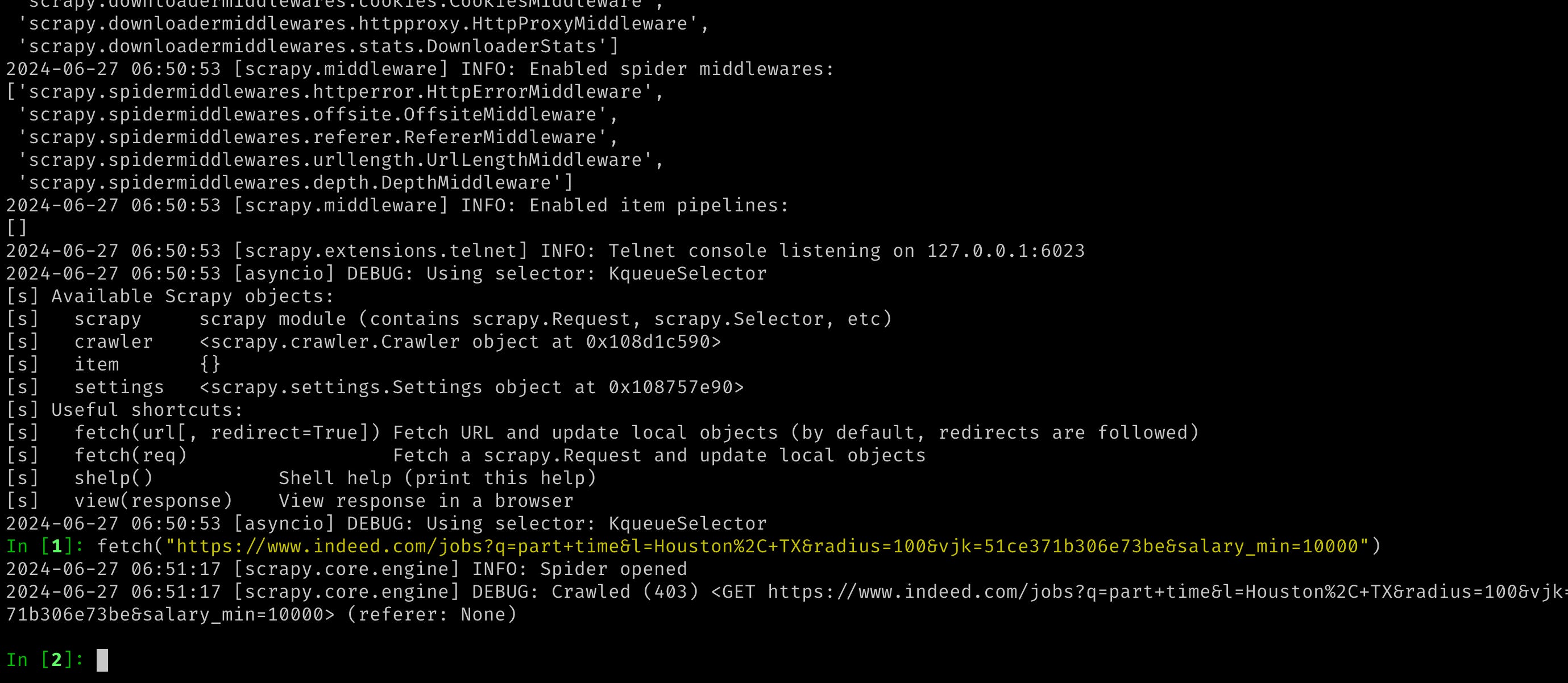
When you attempt to scrape data from the indeed.com website using basic requests (Python's `requests` library) or using Scrapy as well, you may face a 403 error. This error typically occurs because the server detects your request as coming from a scraper or bot rather than a regular user, and it denies access.
Even if you switch to using playwright, which is designed for browser automation and may sometimes bypass such restrictions, it's not always guaranteed to work reliably for web scraping purposes.
Fortunately, the Python community has developed a useful library called `hrequests`. This library can help you overcome some of the challenges associated with web scraping. It allows you to make HTTP requests in a way that mimics a more human-like browsing behavior, potentially reducing the likelihood of encountering access issues like 403 errors.
Despite using `hrequests`, after making several requests, you might still encounter errors due to rate limiting or other restrictions imposed by the website. In such cases, implementing retry logic with pauses between requests can be beneficial. This approach gives the server some time before making the next request, which can help prevent overwhelming the server and getting blocked.
To handle scraping tasks on a larger scale more effectively, using proxies is often considered the ultimate solution. Proxies allow you to make requests through different IP addresses, masking your identity and distributing requests across multiple sources. This helps to reduce the likelihood of your scraping activities being detected and blocked by the website.
In summary, while `hrequests` can improve your scraping success rate, especially when combined with retry mechanisms, using proxies becomes essential for scaling your scraping operations without running into constant access issues or being blocked by the website's defenses against automated access
.